


A missed deadline or buried surveillance note can weaken an otherwise solid investigation. The right system keeps casework searchable, secure, and ready for action across the team.
CROSStrax case management software for private investigators centralizes cases, evidence, notes, deadlines, reports, time, and expenses. Look for secure access, role-based permissions, audit trails, backups, custom fields, search, billing, and client-safe file sharing.
The key question is not which platform has the longest feature list. It is whether the system protects sensitive case data while making everyday work faster and easier to manage. The next section, What is case management software for private investigators?, establishes the foundation and shows where the path begins:
What is case management software for private investigators?
CROSStrax case management software for private investigators gives each investigation one secure workspace for contacts, subjects, evidence, notes, tasks, deadlines, reporting, time, and expenses. It helps firms reduce scattered records, protect sensitive data, and move from intake to client-ready updates with less manual work.
A central workspace for each investigation
Case management software for private investigators is a secure workspace for running investigations from intake through final reporting. It brings case details, client contacts, subjects, notes, evidence, tasks, and deadlines into one organized record. Instead of hunting through folders and inboxes, staff can see the working file in context.
The core idea is simple: each case becomes the hub for the work tied to it. A central repository can support better case oversight and help teams keep records organized. The federal Centers for Medicare & Medicaid Services describes a unified case management system as a central repository that supports contractor workloads.
Operational tools beyond the case file
A useful system does more than hold documents. It helps investigators assign work, schedule events, log activity, track time, record expenses, and prepare reports. Those details connect daily fieldwork with the office tasks needed to close a case and bill it correctly.
- Case records: Store contacts, notes, evidence, files, and status updates together.
- Team workflows: Assign tasks, monitor deadlines, and keep handoffs visible.
- Financial tracking: Tie time, expenses, and billing details to the right matter.
- Reporting: Turn case data into clear updates and final client reports.
Real-time timekeeping and case updates are useful when work happens in the field. Reporting matters too, since managers need a clear view of open matters and staff activity. The Legal Services Corporation recommends systems that support real-time entry, including timekeeping, and generate reports from case and client data. Its case management guidance also calls for secure data transfer and role-based access.
Why a CRM or shared drive falls short
A generic CRM tracks relationships and sales activity. A shared drive stores files. Neither tool is built around the full life of an investigation, where evidence, notes, deadlines, expenses, reports, and staff actions must stay connected.
An investigative platform adds structure to the case itself. It can support custom fields, access rules, data exports, and workflows that match the firm’s process. For a closer look at the category, review this guide to investigative case management systems. The right setup gives solo investigators and teams one working system instead of a patchwork of disconnected tools.
For a detailed breakdown of how purpose-built tools compare, see detective case management software vs generic tracking tools.
Core features to look for before you buy
CROSStrax helps private investigation teams evaluate software around daily work, not vanity features. The strongest platforms combine case records, evidence handling, custom fields, task tracking, mobile access, permissions, audit trails, reporting, and billing support so investigators can manage active files without rebuilding their process.
Start with the work your team handles each day. Good case management software for private investigators should keep each matter organized from intake through billing. Use a live demo to build a sample case, then follow the same steps your staff uses now. This hands-on check reveals gaps that a feature list can hide.
Case records and evidence
Each case should have one clear home for people, companies, documents, photos, notes, dates, and related files. Look for custom fields, fast search, and links between people and cases. Test whether staff can review clients and adverse parties for conflicts before work begins. A central record limits time spent hunting through folders.
- Create a case, add a client, and link several people or companies.
- Upload evidence and documents, then find them with search and filters.
- Add dated notes and check whether edits are easy to trace.
- Test custom fields for the investigation types your firm handles most.
Ask how the platform stores, backs up, and exports records. Guidance from the Legal Services Corporation says a case management system should store and back up data in standard formats. That matters if you need a copy of your records or move to another system later.
See our roundup of the best PI case management software platforms for a side-by-side comparison of leading options.
Daily work and client deliverables
The next check is the daily workflow. Staff should be able to assign tasks, set due dates, use a calendar, and record time or expenses against a case. Look for alerts that keep deadlines visible. If investigators spend time in the field, test whether updates work well from a phone or tablet.
Reporting deserves a full demo. Build a report from the same notes, time entries, expenses, and evidence you would use for a client file. Check whether staff can reuse templates and export a clean copy. Then test invoicing, expense review, and billing handoff so office staff do not enter the same details twice.
- Assign a task, change its owner, and add a calendar deadline.
- Enter a field note, time entry, and expense from a mobile device.
- Generate a client-ready report with a repeatable template.
- Review invoice details before sending data to your billing process.
Access, maps, and connected tools
Sensitive files call for careful access controls. Ask for role-based permissions, multifactor authentication, and an audit trail of staff activity. Test what an investigator, manager, and office user can each see and change. The CROSStrax case management platform page shows the types of workflow tools worth reviewing in one place.
Mapping should help staff view locations tied to a case, not add extra data entry. Ask the vendor to plot addresses from a sample file. Last, review integrations for accounting, email, calendars, office tools, and any risk intelligence sources your team uses. Confirm how data moves, which actions are automatic, and what happens when an integration fails.
How should private investigators compare software options?
CROSStrax recommends comparing tools with the same realistic test case. Build one matter, add contacts, upload evidence, restrict access, record time, and generate a report. That exercise shows whether a spreadsheet, CRM, or investigator-built platform can actually support the work.
Start with the work your team does each day, not a long feature list. A spreadsheet may track a small caseload. A generic CRM may help with contacts and follow-ups. Yet case management software for private investigators should also support evidence, reports, access controls, time entries, and growth. Review the CROSStrax case management features to see how an investigator-built platform addresses each of these requirements.
A practical comparison framework
Use the same test case for each option. Add a client, open a matter, upload a document, record time, restrict access, and create a report. This makes gaps easy to spot. It also shows how many manual steps remain after setup.
The table below compares three common paths. Use it as a screening tool, then build a short list from your firm’s actual workflow. For a deeper review, see this guide to choosing investigator case management software.
| Criterion | Spreadsheet and file drive | Generic CRM | Investigator-built case management software |
|---|---|---|---|
| Fit and best use case | Basic tracking for a limited workflow. | Contact-led sales or client follow-up. | Investigation-led case work from intake through closeout. |
| Evidence handling and reporting | Manual folders, naming rules, and report assembly. | Attachments and general reports may need added setup. | Case-linked files and investigation-focused reports. |
| Security | Depends on drive settings and staff habits. | Check roles, MFA, backups, and audit trails. | Check case-level access, MFA, backups, and audit trails. |
| Billing | Separate logs and manual invoice prep. | May need billing tools or custom setup. | Look for case-linked time and expense entries. |
| Scalability | More files and version control as work grows | Scales for contacts, but investigate case-work limits | Designed to keep case records in one workflow |
Security and data control
Security questions need specific answers. Ask whether the system supports multifactor authentication, user roles, backups, audit trails, and full data exports. The Legal Services Corporation recommends MFA and routine backups in standard formats. Its case management guidance also calls for audit trails and custom access by role.
Test permissions with two accounts. Confirm that staff can reach only the case records needed for their roles. Ask how the vendor handles data export if you switch tools later. A useful demo should show these controls, not just mention them.
Workflow fit before price
Price matters, but a low monthly fee can hide manual work. Count the steps needed to move from intake to assignment, field notes, evidence storage, report creation, and billing. Then note any duplicate entry across tools.
Investigator-built software should reduce those handoffs while keeping case data organized. It should also leave room for the way your firm works. Review relevant investigation case management tools features against your test case before you request a final quote.
Security, compliance, and audit trails matter
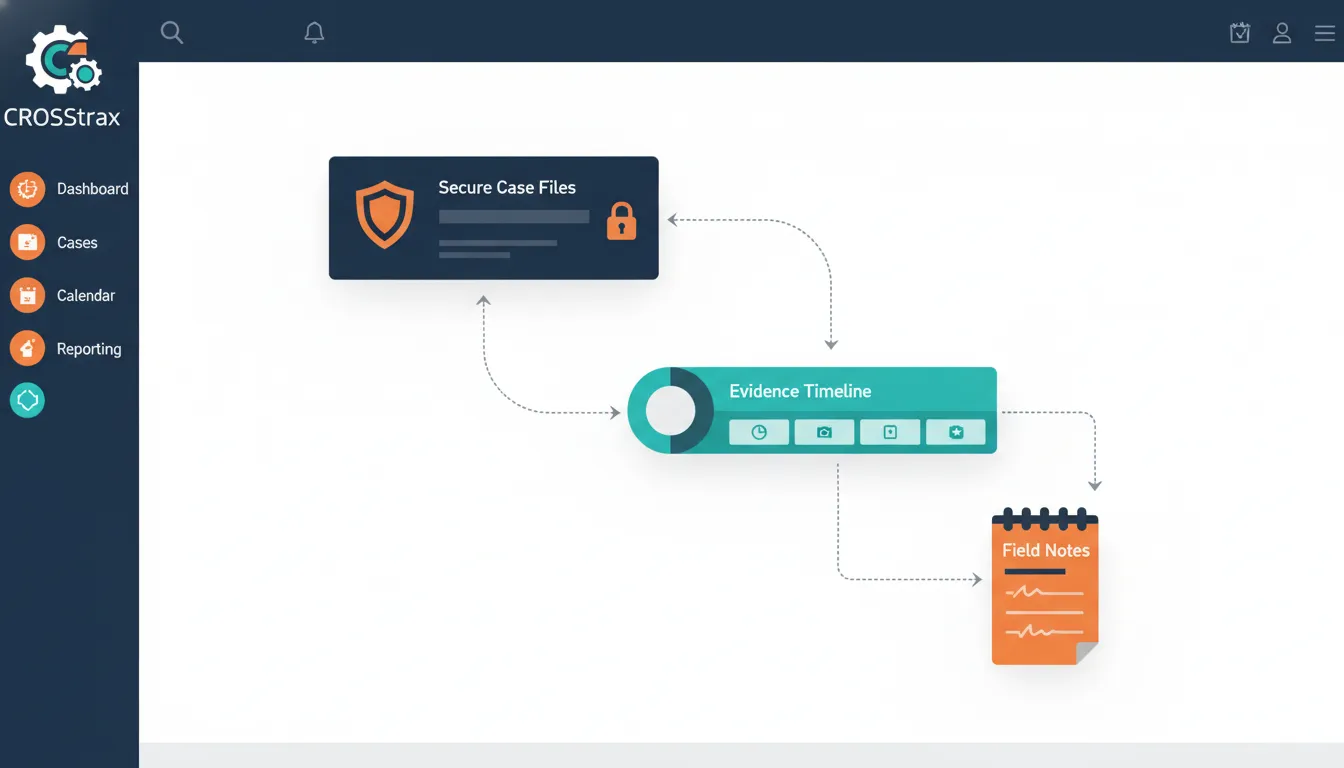
CROSStrax treats security as part of investigation quality. Private investigator software should include role-based access, encryption, multifactor authentication, reliable backups, audit trails, and clear export options. These controls help protect sensitive client, subject, and evidence data across field and office work.
Role-based access and encryption
Investigation files can hold personal details, insurance records, legal documents, and corporate risk information. Access should match each person’s job. A field investigator may need case notes, while a billing user may only need time and invoice data.
When reviewing secure case management workspace, ask how permissions work for each role. Also ask how the platform encrypts data in transit and at rest. Confirm whether admins can review accounts, remove access promptly, and require multifactor authentication.
The Legal Services Corporation recommends role-based permissions and multifactor authentication for system access. These controls help limit avoidable exposure. They also give firm leaders a clear way to manage access as staff, vendors, or client needs change.
Audit trails and consistent records
A useful audit trail shows who viewed or changed a record, what changed, and when the action occurred. This matters when a client asks how a report was built. It also helps a firm review an error without relying on memory.
Consistency matters too. Use standard fields, file names, templates, and status labels across each case. A security plan should govern access and information protection, according to a Long Beach HMIS security plan. Written rules help teams apply the same process to notes, evidence, and shared files.
Backups and client-ready reporting
Backups should be routine, secure, and usable if a firm must restore or move its records. Ask where backups are kept, how often restore tests occur, and how long files remain available. Standard data formats can also make future transfers less painful.
Reporting is part of the same discipline. Client-ready reports should pull from clean case records and use a consistent format. Look for exports that fit a client’s needs without exposing unrelated case details.
Before selecting a platform, request clear documents for permissions, encryption, backup handling, audit trails, and report exports. Verify each answer against your contracts and client rules. A short security review now can prevent confusion when a sensitive case demands a fast, defensible response.
Why investigator-built design changes the workflow
CROSStrax is built around investigative casework rather than a generic sales pipeline. That matters because investigators need connected cases, subjects, evidence, field notes, billing details, and reports. A purpose-built workflow reduces duplicate entry and keeps the full case story in context.
Built around the work investigators do
Case management software for private investigators should follow the case from intake through billing. It should not force investigators to rebuild their process around a generic task tool. Investigator-built design starts with the work that fills the day: opening files, assigning work, recording notes, organizing evidence, tracking time, and preparing reports.
That practical focus matters when a team is busy. A system must keep records clear without adding steps that serve no purpose. The Legal Services Corporation recommends tools that support real-time data entry, including timekeeping. The same principle fits investigative work, where a late note or missed expense can create extra work later.
CROSStrax was built by investigators for investigators. Its case management software for private investigators is designed to keep daily work in one place. That includes scheduling, case records, reports, mapping, time, and billing tasks. The point is not to add more screens. It is to make routine steps easier to follow.
A fit for different team sizes
A solo investigator and an enterprise security team do not manage the same volume of work. Still, both need a clear case record and a repeatable process. A solo firm may care most about simple setup, price, and fewer manual billing steps. A larger team may need role-based access, consistent reporting, and a shared view across assignments.
Investigator-built software should make room for both. A firm should be able to start with the tools it needs, then add users and more structured workflows as work grows. Price accessibility matters here. A useful system should not treat professional case control as an enterprise-only feature.
Connections beyond the case file
Case software rarely works alone. Billing data may need to reach QuickBooks. Reports and documents may move through Microsoft Office. Zapier can connect other parts of the workflow when a team wants to reduce repeat entry. These links help the case record support the business around it, rather than become another isolated database.
The same need applies when an investigation reaches beyond standard case tracking. CROSStrax links case management with Risk Shield for work tied to risk intelligence or threat response. This gives security and risk teams a way to connect an active concern with the records, actions, and follow-up that support a response.
When comparing platforms, look past a long feature list. Ask whether the software matches the steps your team performs each week. Then check whether it can grow with the firm, connect with the tools already in use, and support risk work when the scope changes.
How to choose investigation management software in 5 steps
CROSStrax makes software selection easier when teams test around real assignments. Define your current workflow, list security needs, run a sample case, compare reporting and billing steps, then choose the platform that improves daily work without creating unnecessary complexity.
Start with the work
The right case management software for private investigators should fit the work your team does each day. Start with active cases, not a vendor demo. Include intake, assignments, field updates, evidence, client reports, invoices, and closed-file storage. This keeps the review tied to real tasks.
- Map your workflows. Write down how a case moves from intake to final invoice. Note who handles each task, what data they add, and where delays happen. Include mobile work, document storage, conflict checks, and any handoff between investigators and office staff.
- Build a must-have feature list. Separate required tools from nice additions. Test case search, custom fields, evidence storage, reminders, remote access, and integrations. Real-time data entry can include timekeeping. Secure data transfer supports work with other service providers. Use this guide to choosing investigator case management software as a starting point.
- Check security and permissions. Ask vendors to show role-based access, audit trails, backups, and account controls. The Legal Services Corporation case management guidance calls for multifactor authentication. It also advises teams to set access by role and keep an audit trail of staff activity. Confirm that former staff can be removed fast.
- Test reporting and billing. Run a sample case through the system. Add time, expenses, notes, files, and a client update. Then create an invoice and a report. Check whether staff can export the data in a useful format without extra cleanup.
- Compare onboarding and total cost. Request a written scope for setup, data migration, training, support, integrations, and future exports. Ask which services cost extra. Compare the full first-year cost and the likely cost after renewal. Review available pricing plans against the needs you listed.
Run a realistic trial
A polished demo can hide extra steps. Give each shortlisted vendor the same sample case and the same tasks. Ask an investigator, an office user, and a manager to test their part of the workflow. Record missed needs and repeated clicks.
Make the final comparison
Score each option against the written list before discussing preference. A simple sheet can track required features, security checks, setup work, support terms, and total cost. Keep notes from the trial beside each score. This makes the buying decision easier to explain and review later.
Common mistakes when evaluating private investigator software
CROSStrax often sees firms focus on price or broad CRM features before testing investigative fit. Avoid choosing software that cannot organize evidence, control access, support field updates, track time, or produce usable reports. The lowest monthly cost can become expensive manual work.
Choosing a CRM instead of an investigation tool
A generic CRM can track contacts and sales tasks. It may still miss the daily work of an investigation firm. Case files need organized notes, documents, evidence, assignments, and time entries. That is why a feature checklist matters when choosing investigator case management software.
Do not judge case management software for private investigators by its contact screen alone. Test the work from intake through closeout. Staff should be able to follow a case, find past records, and keep key files in one place. A tool that adds extra steps will not solve the problem.
Letting the monthly price decide
A low monthly fee or free plan can look attractive. It is not a full measure of value. Check which tools are included, which require upgrades, and whether the plan fits the firm’s real caseload. Compare the limits before assuming the lowest price is the lowest cost.
Reporting and billing deserve the same care. Ask whether staff can enter time while work is fresh, assign resources to cases, and pull useful reports. Public guidance for case management systems calls for real-time data entry, including timekeeping. It also calls for reports and case data extracts that support planning and review.
- Do invoices reflect each firm’s billing rules and expense types?
- Can managers see open work, deadlines, and case status without manual spreadsheets?
- Can staff export records in a usable format if the firm changes systems later?
Skipping a real-world trial
Teams often underestimate setup and training. Before signing, ask who imports data, sets user roles, and teaches staff the new workflow. Build a short test case with the people who will use the software. Include one manager, one office user, and one field investigator.
Mobile testing should be part of that trial. Open a case from a phone or tablet, add a note, log time, and upload a file. Guidance for case systems says users should be able to perform routine case management functions remotely and securely. If those basic steps feel slow in the field, keep evaluating.
A careful trial exposes gaps before a firm moves active cases. It also shows whether onboarding support matches the team’s needs. Price matters, but workflow fit determines whether the software helps staff finish work with fewer side processes.
Frequently Asked Questions
What is the best case management software for private investigators?
The best case management software fits the firm’s case types, staff size, fieldwork needs, and reporting process. Compare secure evidence storage, mobile access, time tracking, invoicing, permissions, audit trails, and data export. A live demo should follow a real case from intake through closure. Review the pricing plans against the features each user needs.
Is there free case management software for private investigators?
Some providers offer free plans or trials, but limits may apply to users, storage, active cases, support, or exports. Test whether a free option can protect sensitive case records and support daily work. Before committing, confirm backup procedures and export formats. The Legal Services Corporation recommends secure backups in standardized formats that remain transferable across systems.
What software do private investigators use for case management?
Private investigators commonly use specialized case management software to organize intake, assignments, notes, evidence, deadlines, time, expenses, invoices, and client reports. Firms may also use accounting tools, office software, research databases, and secure communication systems. The key is a central case record that reduces scattered files while supporting the firm’s existing workflow.
How do you choose investigation management software?
Choose investigation management software by mapping one typical case from intake to final report. Identify each handoff, approval, field update, expense, document, and client communication. Then test the system with staff who will use it daily. Confirm mobile access, role-based permissions, reporting, integrations, support, and full data export before signing a long-term agreement.
What features are essential in private investigator software?
Essential features include centralized case records, evidence organization, strong search, mobile access, time and expense tracking, reporting, and secure file sharing. Security controls should include multifactor authentication, role-based permissions, backups, and audit trails. The Legal Services Corporation specifically recommends multifactor authentication and considering audit trails for case management systems.
Ready to improve your investigative workflow?
Waiting to replace scattered tools can keep case details, deadlines, billing, and client updates harder to manage than necessary. The longer that continues, the more time your team spends working around gaps instead of moving active cases forward. Starting now gives you time to review your workflow, compare essential features, and choose a practical system for daily investigative work.
Ready to take the next step? Request a CROSStrax demo to discuss your case management needs and see how the platform fits your team’s workflow. Bring your current process and the areas that cause friction, so the conversation stays focused on your priorities. Contact the team today to start your review with a clear plan.
