


One disputed service attempt can put an entire case schedule at risk. Process server tracking replaces guesswork with GPS records and instant status updates, creating a clear trail from assignment through completion.
Request a CROSStrax demo to see how process server tracking can connect field updates, documentation, and accountability.
Process server tracking uses GPS-enabled software to record a server’s location, time, and job status as each service attempt happens. It gives agencies and law firms timely updates while creating objective records that support accountability, client communication, and proof of service. Rules vary by jurisdiction, but New York City process servers must carry and operate devices that record GPS location, time, and date while serving process. A strong system connects field records to the case file, helping managers review attempts, spot delays, and answer clients without chasing manual reports. That shared record also helps servers document completed work, unsuccessful attempts, photos, notes, and changes before details are forgotten or disputed.
The real question is whether each update creates a usable record for managers, clients, and courts, not whether a dot appears on a map. Before comparing features, answer the core question covered next, What is process server tracking? Here is how it works.
What is process server tracking?
Process server tracking is the use of mobile tools to record field activity tied to a service job. It can capture where and when an attempt happened, along with notes, photos, and the result. The data then flows into the related case record for review.
A record of assigned fieldwork
Tracking starts when an agency assigns documents to a server. The server uses a mobile app to view job details and log each attempt. A GPS stamp can support the entry by recording the device location and time at the service address.
This creates a clear trail from assignment through completion. Staff can see whether an attempt is pending, unsuccessful, or complete without waiting for a separate report. The same details can later support a proof of service when the job is complete.
Tracking, not invasive surveillance
Process server tracking focuses on work events connected to an assigned case. It is not a tool for secretly following the person who receives the papers. Its purpose is to document the server’s field actions and keep the office informed.
The difference rests on scope and intent. Useful tracking records an attempt at the relevant place and time, then attaches that event to the job. It does not require continuous monitoring outside assigned work or unrelated collection of personal data.
Agencies should set clear rules for when location data is collected, who can view it, and how long it is kept. Those rules help staff use tracking as an accountability tool rather than as broad surveillance.
From field event to case record
A connected system turns each field update into part of the case history. The record may include the attempt status, timestamp, GPS point, notes, photos, and follow-up needs. Good process service management software keeps these items with the related documents and contacts.
- The server logs an attempt from the field.
- The office receives the status update.
- The case record preserves the event details.
- Authorized staff review the trail and plan the next action.
This link between fieldwork and the case file reduces gaps caused by separate notes or later data entry. It also makes the service history easier to review when questions arise.
Electronic records can also meet formal recordkeeping needs in some places. For example, New York changed its rules so electronic records can replace paper logbooks when required conditions are met. The New York City process server guidance explains that change and related record duties.
How GPS and real-time status updates create accountability
Accountability starts when each field action becomes a clear, time-stamped record. Process server tracking connects a GPS check-in with the job, address, attempt result, and supporting details. Managers can then see what happened without waiting for a call or sorting through separate messages.
A record tied to place and time
A server checks in through a mobile app when arriving at the service address. The system saves the location and time beside the attempt. This pairing helps confirm that the server visited the assigned place when the record says they did.
Requirements vary by jurisdiction, so firms should check the rules where each job takes place. For example, New York City requires process servers to carry and use an electronic device that records GPS location, time, and date. The city’s process server guidance also explains that electronic records can replace paper logbooks when required conditions are met.
Status updates with useful context
A GPS point alone does not explain an attempt. The server should also choose a clear status, such as served, no answer, bad address, or reschedule needed. Notes can record which door was used, who answered, and what the server observed.
- A no-answer attempt includes the arrival time, GPS check-in, door description, and a photo allowed by local policy.
- A successful serve records the recipient, service method, time, location, and notes needed for the affidavit.
- A bad-address update explains the issue and gives the office enough detail to choose the next action.
These updates give dispatchers and case managers a shared view of the job. Good process service management software keeps the status, notes, photos, and field data together. Staff can review an exception while the facts are fresh instead of rebuilding the event later.
From field activity to proof
The strongest workflow carries verified field details into the final affidavit. It should preserve the server’s notes and require a review before a document is approved. That step helps catch a wrong address, missing detail, or mismatch between the status and affidavit.
Consider a server who marks a job as served but enters notes that describe a different person. A manager can compare the timestamp, GPS point, photo, and notes before accepting the record. The same review supports a more complete proof of service without asking the server to recall the visit days later.
This chain also makes client updates more useful. A law firm can see the current status and supporting facts, while the agency keeps control over review and approval. Accountability comes from the full record, not from GPS alone.
What should process server tracking software include?
Process server tracking software should connect field activity with office records, without adding extra steps for either team. Start with the full service attempt, not a list of isolated features. The right system should capture what happened, where it happened, who recorded it, and what comes next.
Reliable field capture
Mobile usability comes first because most service updates begin in the field. Test the app on the phones your servers use, including older devices and smaller screens. A server should be able to open a job, view instructions, record an attempt, add notes, and attach evidence quickly.
GPS verification should record the location, date, and time tied to each attempt. Look for clear rules on when tracking starts, what the server can see, and how location data is stored. Offline capture is also essential. Servers need to record complete attempts without service, then sync them safely when a connection returns.
- Fast job lookup, clear instructions, and simple status choices
- GPS, date, and time attached to each service attempt
- Offline notes, photos, signatures, and later syncing
- Prompts for missing details before an attempt is submitted
Defensible records and controls
Each update should create an audit trail that shows the user, timestamp, original entry, and later changes. This record helps managers review disputed attempts and prepare a sound proof of service. It also makes quality checks faster because reviewers can trace the job history without chasing messages.
Permissions should match each person’s role. Servers may need assigned jobs and field forms, while dispatchers need broader views and managers need reports. Access controls should also cover exports, billing data, and record changes. Ask vendors how they protect data, manage backups, log access, and remove access when a worker leaves.
Electronic records can also support local compliance needs. For example, New York City explains that state law no longer requires paper logbooks when a process server keeps electronic records. Review the city’s process server guidance, then confirm the rules in every area your firm serves.
Office workflow and oversight
Useful reporting turns field records into an operating view. Managers should be able to filter attempts by server, client, status, age, location, and due date. Dashboards should flag overdue work, failed syncs, missing evidence, and jobs that need review. Scheduled reports can keep clients informed without manual status emails.
Integrations matter when they remove duplicate work. Check how the platform exchanges data with client intake, court filing, mapping, accounting, and payment tools. Billing features should connect approved work to invoices, expenses, server pay, and client terms. A complete process service management software workflow should keep job status and financial records aligned.
- Searchable reports with saved filters and export controls
- Alerts for deadlines, exceptions, and missing job details
- Integrations that preserve status, documents, and audit history
- Billing tools for invoices, costs, payments, and server compensation
- Security controls for access, storage, backups, and account removal
During a trial, run real jobs through the system from assignment to billing. Include a poor-signal location, a corrected entry, a reassigned job, and a client update. This test shows whether process server tracking supports daily work or merely looks complete in a demo.
Manual updates vs. centralized process server tracking
Manual tracking often starts with a spreadsheet, phone calls, and text messages. That setup can work for a small team with a light caseload. As volume grows, though, staff must check several places to build one clear job history.
Centralized process server tracking puts field updates, notes, and supporting records in one shared workflow. The choice is not simply paper versus software. It is a tradeoff between a flexible, familiar method and a more structured way to manage service activity.
Side-by-side workflow comparison
The comparison below shows where centralized tracking reduces manual work and creates a more consistent record.
| Workflow area | Spreadsheets and texts | Centralized tracking software |
|---|---|---|
| Status updates | Staff request and enter updates by hand | Field updates feed a shared job record |
| Job history | Details may sit across several files and message threads | Notes and status changes stay with the job |
| Location records | Servers report locations through notes or messages | GPS data can support time and location records |
| Setup | Quick to start with familiar tools | Needs software setup and team training |
| Process control | Staff can change fields and steps at any time | Shared fields support a consistent workflow |
Manual tools offer freedom because teams can change a sheet or message format at once. That same freedom may produce different labels, missing context, or duplicate work. A central system asks the team to follow shared fields and steps, which takes planning and training.
Electronic records and local rules
Record format also matters when a team reviews its tracking process. New York changed its law so process servers can keep electronic records instead of paper logbooks, if they meet the stated conditions. The New York City process server guidance explains that change and lists related record rules.
Rules can differ by location, so software does not replace a review of local requirements. Teams should decide which data must be kept and how long records need to remain available. They can then set the workflow around those needs.
Choosing the right level of control
A small firm may accept manual follow-up because its cases are easy to review. A larger or busier operation may value one view of attempts, notes, and status changes. The right choice depends on case volume, staff roles, client needs, and current reporting gaps.
Before switching tools, map how an update moves from the field to the final proof of service. Then compare that path with the controls available in process service management software. This makes the tradeoffs clear without assuming that one method fits every team.
How tracking improves the full service workflow
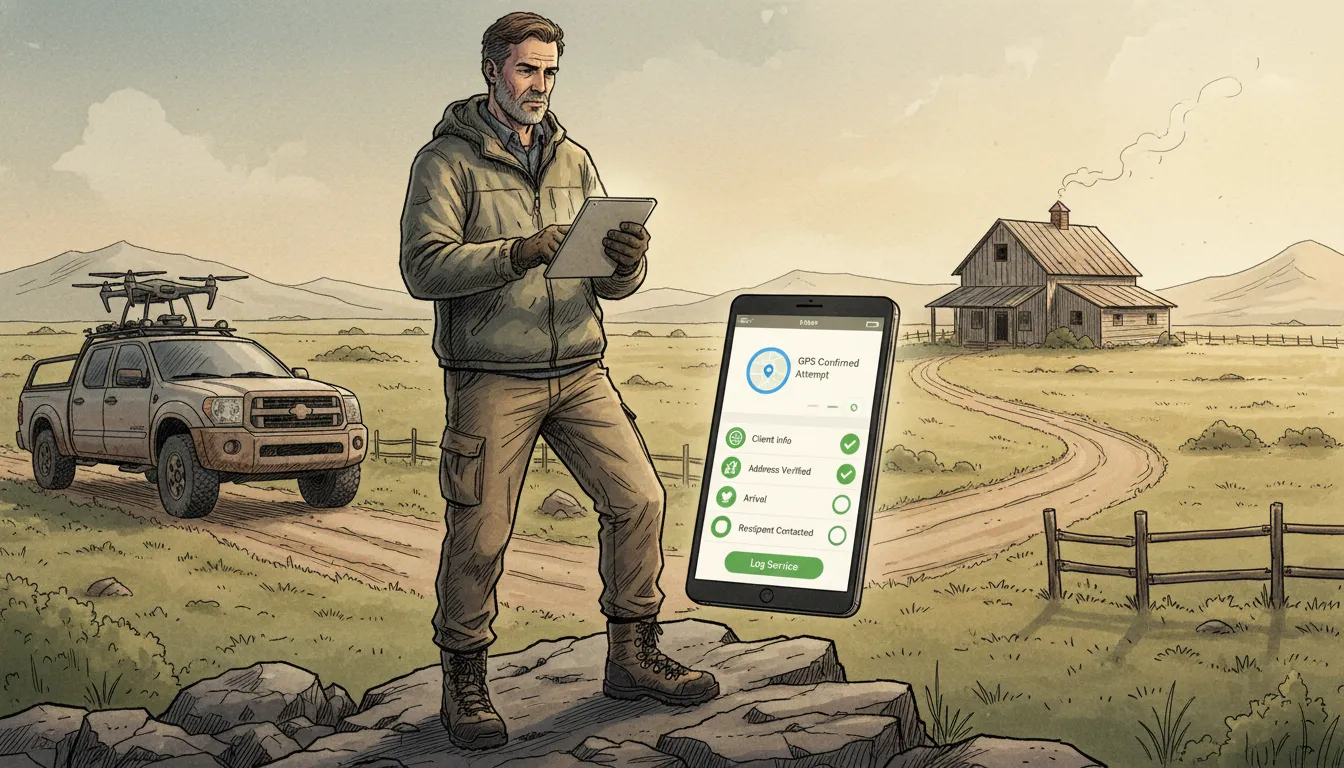
CROSStrax connects process service activity with a broader case management workflow, giving authorized teams a consistent record from assignment through reporting. Teams can also review the platform’s investigation software features and available integrations when planning a connected workflow.
Request a demo to explore how CROSStrax can support your process service operation.
One shared job record
Process server tracking works best when every role sees the same job record. Dispatchers can assign work, servers can record attempts, and clients can follow progress without separate email chains. Each update stays tied to the case, address, deadline, and next action. That shared view cuts the risk of missed handoffs and gives the team a clear source of truth.
With process service management software, dispatchers can review workload and send new assignments from one system. A server can then see the instructions, visit history, and documents needed for the next attempt. Once the server posts an update, office staff can review it before the client sees it. This flow keeps field activity and office decisions aligned.
Faster exception management
A normal workflow is easy to manage. The real test comes when an address is wrong, access is blocked, or a deadline is close. Tracking makes these exceptions visible while the job is still active. The dispatcher can spot the issue, review the attempt details, and choose the next step.
- Dispatchers can sort jobs by status, deadline, server, or exception type.
- Process servers can add notes and location data at the time of each attempt.
- Clients can receive approved updates without calling the office for routine status checks.
Clear exception labels also help teams act in a consistent way. A bad address may require client input, while a safety concern may require reassignment. A missed deadline warning may call for a faster review. The system should show who owns each next action. This keeps an unusual event from becoming a hidden delay.
Clear client updates and records
Clients need useful updates, not a stream of raw field notes. A shared workflow lets the agency review details and send a clear status at the right time. It can also keep routine updates separate from requests that need a client decision. This approach gives clients visibility while the agency keeps control of its work process.
The same record supports the final proof of service workflow. Attempt notes, time details, and related documents remain connected instead of being rebuilt from separate sources. That makes review easier and helps staff find gaps before final paperwork moves forward.
Record rules can vary by location, so agencies should match their workflow to local requirements. New York City notes that state law allows electronic records instead of paper logbooks when a process server maintains them. Its process server guidance shows why a tracked digital record can be more than an office convenience. It can also support a compliant and easier-to-review service history.
How to implement process server tracking without disrupting the team
A staged rollout keeps process server tracking from becoming another source of daily friction. For organizations that also manage threat assessment or incident response, keep that work in a purpose-built risk intelligence platform rather than forcing it into a process service workflow. CROSStrax can help teams evaluate how these operational needs fit together without blurring responsibilities.
A staged rollout should start with the existing process service workflow and its most important accountability gaps. Start with the current workflow, then add only the controls that solve a clear problem. The goal is to improve proof, status visibility, and follow-up without slowing field work. Treat feedback from servers and office staff as part of the setup.
Map the workflow and access rules
Before configuring software, map each step from assignment through final affidavit. List every status the team uses, who updates it, and what evidence belongs with it. Then define which roles can view, edit, approve, or export each type of record. Keep the first version simple enough to explain in one short training session.
Choose only the location data needed to confirm work activity. For example, capture location at an attempt instead of collecting a continuous trail all day. New York City process server guidance notes that electronic records can replace paper logbooks when servers maintain those records. That makes a clear retention plan and reliable record access important from the start.
- Agree on a small set of status names and required fields.
- Limit location access to staff who need it for dispatch, review, or compliance.
- Set written rules for retention, export, correction, and deletion.
- Tell servers what the system records, when it records data, and who can see it.
Pilot the tracking workflow
Run a pilot before moving every job into the new system. Use a small group that includes a dispatcher, reviewer, and several field servers. Give the pilot a clear start date, end date, and way to report problems. Keep the old process available only as a short backup during this test.
Train the pilot group with real job examples rather than a long feature tour. Show how to accept an assignment, log an attempt, attach evidence, and flag an exception. Explain which actions create alerts and which updates clients can see. A focused process service management software workflow can keep dispatch, field activity, and review in one shared record.
During the pilot, watch for missed status updates, duplicate entry, weak signal areas, and steps that take too many taps. Ask servers whether prompts appear at the right moment. Ask office staff whether the new records answer client questions faster. Fix repeated friction before adding more users.
Train, review, and expand
After the pilot, publish a short standard process with screenshots and named support contacts. Train each role only on the tasks it performs. Give staff a practice assignment so mistakes can be fixed before live work begins. Managers should also learn how to review exceptions without watching routine movement.
Set a review after the first few weeks, then repeat it on a regular schedule. Compare late updates, missing evidence, correction requests, and time spent answering status questions. Review access rights and remove accounts or permissions that no longer fit. For evidence standards, align the workflow with the firm’s existing proof of service process.
Expand process server tracking in small groups once the pilot rules hold up. Keep a channel open for field feedback and document each approved change. If a new feature collects more data, explain its purpose before turning it on. This approach protects privacy while helping the team adopt the workflow at a practical pace.
How do you measure whether tracking is working?
Effective process server tracking should make each job easier to review, manage, and bill. Measure the workflow, not just the amount of GPS data collected. A useful scorecard shows whether updates arrive on time, exceptions get resolved, records stay complete, and completed work reaches billing without avoidable delays.
Status timeliness and exception resolution
Start by comparing field activity with the time its status appears in the case record. Review late updates by server, job type, and cause. This helps managers tell the difference between a weak signal, a missed step, and a workflow that needs repair.
Track open exceptions with the same care. Useful measures include the age of each exception, its owner, and the next action due. Managers should also review whether failed attempts, address issues, and conflicting GPS records are cleared before they hold up the client.
Documentation completeness
A completed status is not enough if the supporting record is incomplete. Check whether each attempt includes the needed time, location, notes, documents, and related proof. New York City notes that electronic records can replace paper logbooks when process servers maintain them, which shows why record quality matters. See the city’s process server guidance for that requirement.
Use a simple completeness review before a job closes. Flag missing fields and records that do not match, then send them back for correction. The same review should support a clear proof of service instead of forcing office staff to rebuild the history later.
Client inquiries and invoice readiness
Client questions reveal gaps that internal reports may miss. Group inquiries by reason, such as missing status, unclear notes, or a request for proof. Then compare those themes with open exceptions and incomplete records. A sound tracking process should make common answers easy to find in the case record.
Finally, measure invoice readiness at the point of completion. A ready job has the required service record, resolved exceptions, approved charges, and supporting documents. Review why completed jobs remain unbilled, then fix the repeated cause in your process service management software. Together, these measures show whether tracking supports the full operation rather than creating more data to check.
Frequently Asked Questions
Is real-time tracking of process servers possible?
Yes. Process server tracking software can receive GPS data and job updates from a server’s mobile device while work is underway. Authorized staff and clients can then view current statuses without waiting for calls or emails. The exact timing depends on the software, device settings, internet connection, and the agency’s rules for recording each attempt.
What technology do process servers use to track status?
Process servers commonly use mobile apps connected to cloud-based case management software. These tools can record attempt details, timestamps, GPS coordinates, photos, notes, signatures, and completed documents. A central dashboard organizes the information by job and makes status updates available to authorized users. Firms should compare tools based on reporting, security, integrations, and local compliance needs.
Can law firms track their process servers in real-time?
Law firms can receive real-time or near-real-time updates when their process service provider gives them access to a tracking portal. Depending on the system, the portal may show attempts, notes, GPS records, uploaded documents, and completion status. Access controls should limit each user to relevant cases and protect sensitive information throughout the service process.
Are process servers required to use electronic tracking devices?
Requirements vary by jurisdiction, court, and type of service. For example, New York City requires licensed process servers to carry and operate an electronic device that records GPS location, time, and date while serving process. Agencies should review current local rules and court requirements before selecting a tracking method or setting record-retention policies.
How does GPS tracking improve accountability for process servers?
GPS tracking creates a location and time record tied to a service attempt. When combined with notes, photos, timestamps, and proof-of-service documents, that record helps agencies review activity and address client questions. It also reduces reliance on memory or manual updates. GPS data supports accountability, but firms must still follow applicable rules for service, privacy, and evidence.
Ready to Improve Process Server Accountability?
Delaying better tracking leaves managers chasing updates, resolving avoidable disputes, and piecing together incomplete records after service attempts. Starting now creates a clearer workflow sooner, so each assignment can move forward with fewer gaps and less follow-up. Your team gains a practical path to timely status updates, stronger oversight, and more consistent documentation across every active case.
Do not wait for another missed update to expose a weak point in your process. A short review today can help your team identify where manual steps slow communication and create unnecessary work. You can then plan a measured rollout around the needs of managers, office staff, and servers. Ready to improve accountability? Request a demo to discuss a more organized process service workflow.
