


One missed attempt note can delay a proof, trigger a client call, and put a deadline at risk. Process service firms need one reliable record from assignment through completion.
Request a CROSStrax demo to see a connected service workflow.
Service of process software centralizes assignments, field attempts, proof documents, deadlines, billing details, and client updates in one secure workflow. Process servers can record notes, photos, time stamps, and GPS data in the field, while office staff monitor each job without chasing messages. Templates can pull case details into proofs, reducing repeat entry and helping teams prepare consistent records for review. It can also flag overdue actions, preserve a clear activity history, and connect recorded work to daily invoicing before important details slip through the cracks. Automated progress updates and secure client portals then give clients timely visibility, which CROSStrax identifies as core case management capabilities for investigative field work.
The key question is not simply whether software can store another file, but whether it keeps every attempt, proof, and update tied to the right job. That answer starts with What service of process software actually manages. Here is how.
What service of process software actually manages
Service of process software is a central system for managing each serve from intake through final client delivery. It connects office staff, process servers, managers, and clients to one current job record. Instead of tracking work across email, paper notes, and spreadsheets, the firm can follow one clear operational trail.
Assignment and field activity
The workflow starts when staff create a job, add documents, record instructions, set deadlines, and assign the right server. Dispatchers can then see open work, due dates, and assignment status without asking each server for an update. This shared view helps teams spot stalled or urgent serves before they become client problems.
In the field, the server records each attempt in the same job record. Useful entries include the attempt time, address, notes, mileage, photos, and GPS data. These details give office staff a clear history while the work is still active. They also support accurate reporting after the serve is complete.
- New jobs and service instructions.
- Server assignments and due dates.
- Attempt notes, time logs, and field evidence.
- Current status and next required action.
Proofs, records, and quality checks
Once an attempt succeeds, the system turns field details into a structured completion record. Staff can review names, dates, locations, service methods, and notes before preparing the proof. The goal is not just faster paperwork. It is a consistent record that can be checked before delivery.
Templates can pull saved case data into proofs and other reports, which reduces repeated typing. A manager can review the draft, correct missing details, and keep the approved file with the job. This workflow makes managing proofs with service of process software part of the case record, not a separate task.
Client updates and business administration
The same system can control what clients see and when they receive it. Milestone notices can report assignment, attempts, successful service, and proof completion without manual status emails. A secure portal can then provide approved documents and the latest case status. Staff keep internal notes separate from client-ready information.
Service of process software also connects completed work to billing, time records, and invoices. This closes the gap between field activity and office administration. The wider value of a connected record is clear in public-sector systems too. North Carolina courts report that real-time interfaces can populate case information automatically, reducing duplicate data entry.
For a process service firm, the result is one controlled workflow from assignment to proof, client delivery, and payment. Teams evaluating service of process software features should check whether each stage shares the same job data. If tools split those stages, staff still have to reconcile records by hand.
How does software improve service attempts?
Service of process software gives field staff and office teams one shared record for every attempt. Teams capture details as work happens instead of piecing together texts, paper notes, and later data entry. Each update follows the same process, carries a clear time record, and becomes ready for review.

A consistent attempt record
A useful attempt record answers the same core questions each time: who went, where they went, when they arrived, and what happened. Required fields keep key details from being skipped. GPS tracking, time logging, and automated progress updates are among the service of process software features that support this record.
The shared case file also removes needless rekeying. This matters because copying details from handwritten notes can add errors and delay the next action. A North Carolina court system offers a similar model: its real-time interfaces automatically populate court case information across connected systems.
From field update to reviewed attempt
A standard workflow helps each attempt move from the server to the office without a separate text thread. Teams can adapt the fields and review rules to fit local requirements and client instructions.
-
Open the assigned case. The server starts with the correct address, documents, due dates, and notes already tied to the job.
-
Record the visit in the field. The server enters the date, time, location, outcome, and useful observations while details are fresh.
-
Add supporting files. Photos, notes, and other records stay with the attempt instead of sitting on a phone or in email.
-
Trigger the next action. The outcome can prompt another attempt, office review, a client update, or preparation of proof documents.
-
Review the full history. A supervisor checks the attempt sequence, spots missing fields, and resolves conflicts before the file moves forward.
Better supervision without constant check-ins
Central records let supervisors see open jobs, recent attempts, and stalled work without calling each server. Filters and alerts can bring late tasks or incomplete records to the top. Managers can then focus on exceptions instead of asking for routine status reports.
That same record helps the office prepare accurate proofs and answer client questions. Staff can trace each update back to the case rather than search several channels. A clear workflow for managing proofs with service of process software also helps teams carry reviewed attempt data into final documents.
Standardization does not mean every attempt looks the same. It means every server records the facts in a clear, repeatable format. Supervisors gain a reliable audit trail, while field staff spend less time repeating updates or reconstructing past work.
Building reliable proofs and defensible records
A proof is only as useful as the records behind it. Service of process software should connect each attempt, note, photo, and status change to one case file. This creates a clear work history that office staff can review before preparing a proof or affidavit. Teams standardizing final deliverables can also review these investigation report templates.
Complete records from the field
Servers should record details as soon as possible after each attempt. A useful entry states the date, time, address, result, and factual observations. It may also include photos, GPS data, and notes about the person or property, when those details fit the firm’s process.
Consistency matters more than long notes. Required fields and standard terms help each server capture the same core details. They also make missing information easier to spot before a file reaches the proof stage.
- Link every attempt to the correct case and address.
- Keep original photos and related field notes together.
- Record edits or follow-up details without hiding the earlier entry.
- Use clear facts instead of guesses or broad conclusions.
Structured systems can also limit repeated data entry. For example, North Carolina’s court technology materials explain that case information automatically populates another state system through real-time interfaces. A connected workflow follows the same sound principle: enter key facts once, then reuse them with care.
Proof and affidavit preparation
Templates can turn approved case data into a draft proof or affidavit. The draft may pull the parties, service address, attempt history, and completion details from the file. This saves retyping, but it should not replace review by the server or office team.
Before finalizing a document, compare every field with the source record. Confirm names, dates, addresses, service method, and attached materials. Firms can use a set review checklist while adapting the document to local rules and client needs.
A well-designed workflow also keeps the draft tied to its supporting records. CROSStrax’s guide to managing proofs with service of process software explains the proof process in more detail. The goal is a record that another authorized reviewer can follow without piecing together emails, texts, and loose files.
Review, control, and delivery
Defensible records depend on control after the fieldwork ends. Set roles for who can edit case facts, approve proofs, and share final documents. Keep review notes with the case so corrections have context and staff can see what changed.
Use a final quality check before sending the proof to a client or filing contact. Confirm that the document matches the case record and includes the required attachments. Then store the approved version with its source notes and related communications, rather than in a separate folder.
Keeping clients informed without creating more work
Clients usually want simple answers: Has service been attempted, what happened, and what comes next? Teams that track these answers in spreadsheets often repeat the same work across calls, emails, and case notes. A central portal turns each verified field update into a client-ready status record. It keeps communication tied to the job instead of scattered across inboxes. See how real-time case reporting supports that goal.
Hidden work in manual updates
Manual updates seem flexible, but each request interrupts the office team and creates another message to file. Staff may also copy old details or send an update before a server’s notes are complete. Shared spreadsheets help with tracking, yet they do not give each client a clear, controlled view. They also require staff to decide who needs each new status.
Keep portal notices separate from formal electronic service requirements. California law, for example, defines electronic notification as a message sent to a person’s designated electronic service address. That definition shows why teams should label routine case updates clearly. They should also preserve formal service records in the proper workflow.
| Task | Manual approach | Centralized approach |
|---|---|---|
| Status requests | Staff search and reply. | Client checks approved status. |
| Attempt details | Notes get copied. | Verified notes stay with the job. |
| Proof delivery | Files move by email. | Approved proof appears with the case. |
| Access control | Staff check recipients. | Permissions control visibility. |
| Follow-up | Staff track reminders. | Milestones trigger notices. |
A single source for client-facing status
With centralized service of process software, field notes, attempt details, proofs, and client updates can follow one case record. Staff review the entry once, then release the right details through a portal or set notice. Clients can check progress without asking the office to rebuild the case history. CROSStrax explains how professional service of process software keeps process service work in one managed workflow.
Access still needs control. Give clients only the cases and documents they are allowed to see. Use consistent status labels, such as assigned, attempted, served, or awaiting proof. Before publishing an update, confirm that the field note is complete and the linked document matches the correct job.
Updates clients can act on
A useful update tells the client what changed, when it changed, and whether action is needed. It should not expose internal notes or force the reader to decode vague labels. Automated progress updates and milestone notices can handle routine communication, while staff manage exceptions and sensitive questions.
Set a small group of client-facing milestones for every job. Pair each milestone with an approved message and the correct supporting document. When a serve needs judgment or context, pause automation and send a reviewed update. This approach reduces status chasing without turning client communication into an unchecked feed.
What should you look for in service of process software?
Look for software that supports a serve from intake through proof, billing, and client updates. The right fit should make daily work easier for field servers, office staff, managers, and clients. Test each option with a real job before you compare prices.
Field use and workflow control
Start with the mobile experience because servers enter key details while they are in the field. Check whether they can view assignments, record attempts, save GPS data, add notes, and upload photos. The app should remain clear on a small screen and help prevent missing details.
- Ask a server to complete a sample attempt without help from the vendor.
- Confirm that office staff can assign work, set due dates, and track each serve from one queue.
- Check whether the system creates proofs from case data and supports your required forms.
- Test alerts for new assignments, failed attempts, completed service, and overdue work.
Permissions matter when staff, contractors, clients, and managers share one system. Each role should see only the cases, files, and actions needed for its work. Review audit history, account controls, and the steps for removing access when a contractor leaves.
Reports, billing, and client updates
Useful reports should turn field notes into clear records without repeated data entry. Review the available templates, then build one proof and one client report during the demo. A practical workflow for managing proofs with service of process software also helps you judge whether the tool fits your current process.
- Check that reports pull names, dates, attempt details, notes, and attachments from the case file.
- Test invoice creation, rate rules, expenses, online payments, and links to your accounting system.
- Ask whether clients can place orders, view status, download documents, and receive milestone updates.
- Confirm that client-facing pages and messages can use your firm’s name and contact details.
Do not judge communication tools from screenshots alone. Invite a test client, send an update, and download a finished report. This quick test shows whether the portal is simple enough for routine use.
Integrations and room to grow
List the systems your team already uses before reviewing integrations. Include accounting, email, storage, court data, and other case tools. Real-time links can reduce duplicate entry. One public court system uses interfaces that automatically populate case information across systems.
Ask vendors to show each needed connection working, not just display a logo. Then check setup fees, data limits, support, and who fixes sync errors. You can use a review of service of process software features to create a short comparison list.
Finally, test how the platform handles growth. Ask about adding users, roles, offices, clients, and case volume. Review pricing at your current size and at your expected size, plus export options if your needs change. A scalable system should add control without adding needless steps.
Connecting process service to the wider case workflow
A serve is rarely a stand-alone job. It begins with intake, moves through field work, and ends with records, client updates, and payment. Service of process software should connect each stage to a wider case management workflow, so staff can act without rebuilding the same record.
Talk with CROSStrax about connecting field attempts, proofs, updates, and billing.
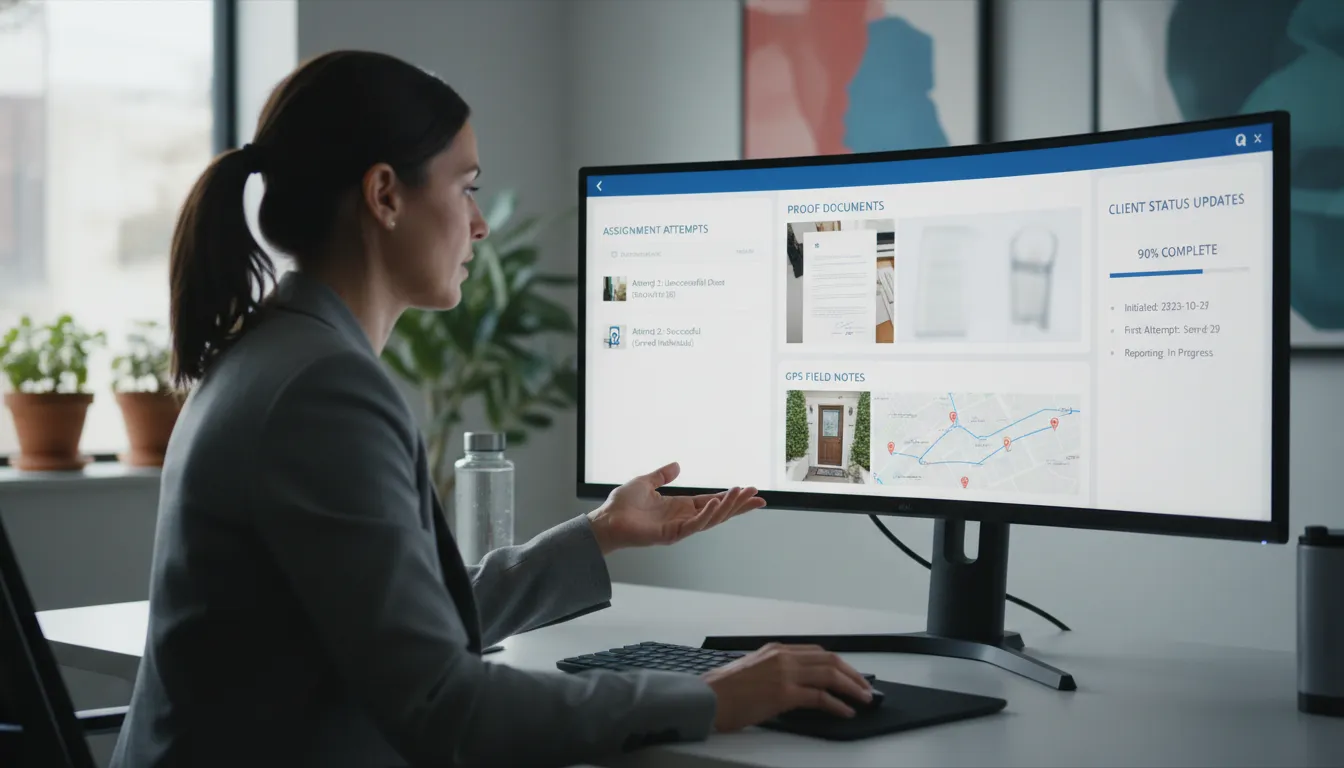
One record from intake to proof
At intake, the office can enter the subject, documents, due date, service rules, and client instructions once. Dispatchers then assign the right server based on location, workload, and job needs. The server works from that shared record, while office staff can see progress without making repeated calls.
Each attempt should add its date, time, notes, location data, and related files to the case. Those details can then support the proof of service and the final report. For a closer look at that field-to-office flow, review CROSStrax’s professional service of process software.
Deadlines, updates, and reports
Deadlines need more than a calendar entry. A useful workflow ties the due date to assignments, attempt history, alerts, and next actions. If an attempt fails, the team can see what happened and plan the next step before the service window closes.
Automated progress updates and milestone alerts also help managers spot stalled work. Staff can use saved case data to build clear reports instead of copying notes between tools. CROSStrax’s case management features connect field tracking, time logs, reports, client updates, and billing in one workflow.
Billing and connected systems
Billing works best when it starts during the job, not after the proof is complete. Time, mileage, attempts, rush fees, and other charges should follow the case record. That gives the billing team a clear source for invoices and cuts the risk of missed work.
Integrations also reduce duplicate entry between process service, case management, court, and accounting systems. This matters when the same facts must move across several teams. One public-sector example shows the value: North Carolina’s NCAWARE uses real-time interfaces so court case information automatically populates another justice system.
A connected workflow also gives managers a fuller view of staffing and cost. They can compare open work, assigned staff, approaching deadlines, completed attempts, and unbilled activity. That view helps the firm balance workloads while keeping each serve tied to the wider investigation.
How to implement a system your team will use
A successful rollout starts with the work your team already does. Map each step from receiving a job through closing the case and sending the invoice. Note who owns each step, what data they need, and where delays or duplicate entry occur. If the firm also handles threat assessments or incident response, keep that work in an appropriate risk intelligence platform rather than forcing it into the process service workflow.
Workflow map and pilot
Configure the service of process software around that map instead of copying every old habit. Start with one common job type and a small pilot group. Their feedback will show which required fields, alerts, and status labels help in daily work.
- Define standard stages for assignment, attempts, proof review, client updates, billing, and closure.
- Set clear rules for required notes, photos, GPS records, and proof documents.
- Test notifications with office staff, servers, managers, and a trusted client.
- Remove steps that repeat data or create alerts without prompting action.
Digital systems work best when information moves between steps without repeated entry. North Carolina’s court system uses real-time interfaces so case information can populate another system automatically. Its electronic process management model shows why teams should test data flow before a broad launch.
Roles, training, and ownership
Give each role access to only the tools and case details needed for its work. A server may need assignments and attempt forms. A manager may also need proof approval, workload views, client updates, and billing controls.
Train people with real scenarios, not a long tour of every feature. Have users accept an assignment, record an attempt, correct a note, and submit a proof. Use the team’s written process for managing proofs with service of process software as a shared training reference.
- Name one internal owner who can answer questions and approve setup changes.
- Give users a short checklist for their first cases in the new system.
- Hold brief follow-ups after the first week and again after the first month.
Staged migration and useful measures
Migrate active cases carefully and keep an untouched backup of the source data. Clean duplicate clients and old status labels before import. Check a sample of cases for documents, assignments, attempt history, deadlines, and billing details.
Avoid moving every closed record before the team trusts the new workflow. Start with active work, then bring over older files only when there is a clear need. Review available service of process software features against the mapped workflow before enabling more tools.
Measure adoption through practical outcomes. Track missing fields, proof correction rates, overdue attempts, time to send client updates, and time from closure to invoice. If a measure gets worse, review the related step with users and adjust the setup or training.
Frequently Asked Questions
How does service of process software automate workflows?
Service of process software connects intake, assignments, attempt logging, status alerts, document generation, and billing within one case record. When field staff log an attempt, the platform can update the job, notify the office or client, and populate later reports. CROSStrax supports automated progress updates, milestone notifications, GPS tracking, and time logging through its case management features.
Can process serving software generate affidavits automatically?
Yes, process serving software can generate affidavits or proofs from approved templates and information already stored in the case file. Attempt dates, locations, notes, photos, and service details can populate the document automatically. Staff should still review every generated form for accuracy and confirm that it meets the court and jurisdiction requirements before filing or sending it to a client.
How does GPS geo-stamping work in process server software?
GPS geo-stamping records a mobile device’s location and time when a process server logs an attempt in the field. The software attaches that data to the case record alongside notes, photos, and the attempt outcome. This creates a clearer activity trail for office staff and clients. However, firms should confirm local court rules and set policies for location accuracy, privacy, and device use.
Why do law firms need process serving software?
Law firms use process serving software to monitor assignments, see attempt histories, receive timely updates, and retrieve completed proofs without relying on scattered emails or calls. A shared record also helps legal teams identify delayed serves and missing information earlier. Secure client portals can provide controlled access to status updates and documents while preserving an organized record of communication for each matter.
Ready to simplify your process service workflow?
Every week spent relying on scattered notes, inbox searches, and manual follow-ups creates more chances for missed details, delayed proofs, and frustrated clients. Waiting also makes it harder to set a consistent process before workloads grow or urgent cases expose gaps in the current approach. Starting now gives your team time to establish clear habits, reduce preventable rework, and create a more dependable experience for every client.
Ready to improve how your team manages service activity? Request a CROSStrax demo to see how an organized workflow can support attempts, proofs, and client updates from day one. Get direct answers to your workflow questions and identify practical next steps your team can begin planning right away.
