


When a field investigator completes surveillance, interviews a witness, or uploads evidence. The value of that work depends on how quickly the rest of the firm can use it. Delayed updates leave supervisors managing from an outdated picture, force staff to chase details, and make client communication harder than it needs to be.
Request a CROSStrax demo to see how a shared case record can give your firm timely operational visibility.
Real-time case reporting is the practice of recording structured case activity as work happens. So authorized team members can review current facts, evidence, time entries, and next steps from one shared record. It does not mean publishing unreviewed notes to clients. It means giving the firm timely operational visibility while preserving permissions, review standards, and professional judgment.
For investigation firms, that shared view can improve daily coordination, strengthen documentation, support accurate billing, and help managers make faster decisions. The practical starting point is understanding what real-time reporting includes and how it differs from traditional periodic reporting.
What is real-time case reporting?
Real-time case reporting is the practice of recording and sharing case activity as work happens. Investigators add structured notes, evidence details, time entries, status changes, and next steps to one case record.
The result is a current view of the investigation, not a finished report created days later. It does not mean every rough thought becomes client-facing. Firms still control access, review facts, and decide what information appears in a formal report.
A continuous case record
Continuous reporting turns each field update into part of an organized case history. A surveillance note, uploaded file, or completed task becomes available to authorized team members without waiting for someone to assemble an email or document.
Structure matters as much as speed. Updates tied to the right case, date, person, and activity are easier to check and use. This is why real-time case reporting is more than a stream of messages between investigators.
Continuous updates versus periodic reports
Periodic manual reporting captures a case at set points, such as the end of a shift or billing cycle. Staff must gather notes from separate sources, re-enter details, and build a report. That process can leave managers working from an older case picture.
With continuous updates, the case record grows through the normal workday. Managers can review progress sooner, while staff can use the same stored details to prepare client reports. For security teams, pairing the case record with Risk Shield threat intelligence and incident response can also support faster decisions when a developing risk requires attention. The CDC’s electronic case reporting guidance offers a useful parallel: automated reporting provides faster, more complete data than manual reporting.
- Continuous structured updates: Staff enter each activity once, in fields linked to the case.
- Periodic manual reports: Staff collect and rewrite information after work has already occurred.
- Formal investigation reports: Reviewed documents present selected case facts in a clear client-ready format.
One source for daily decisions
Real-time reporting gives the firm a shared operational record. A manager can see whether a task is complete, what evidence has arrived, and what action should follow. Team members spend less time asking for updates or checking separate files. This shared timeline helps supervisors spot missing details before they become gaps in a client update or final report.
The live record also supports the final deliverable. Instead of rebuilding the case story from memory, staff can draw from approved entries already tied to the matter. Dedicated reporting tools for investigations can then turn those entries into consistent reports while preserving human review.
Real-time reporting vs. traditional reporting
Real-time case reporting records field notes, evidence details, and status changes while work is still underway. Traditional reporting holds much of that information until the end of a shift or case. The difference affects how quickly managers can respond, how clearly clients can follow progress, and how much cleanup investigators face later.
Speed and evidence quality
In a real-time workflow, each update becomes available soon after the investigator records it. Supervisors can spot a missing detail or changing risk while there is still time to act. By contrast, an end-of-day report may reveal a gap only after the investigator has left the scene.
Timely entry can also protect context. Names, times, locations, and evidence notes are less likely to depend on memory hours later. In another reporting field, the CDC finds electronic case reporting provides faster, more complete data than manual reporting. Investigative teams can apply the same sound principle: record facts close to the work, then review them.
Side-by-side workflow comparison
Neither method removes the need for review. Real-time reporting shifts review earlier, while traditional reporting groups it near the end. The practical differences appear across the full case workflow.
| Criteria | Real-time reporting | Traditional reporting |
|---|---|---|
| Speed | Updates appear as work occurs. | Updates arrive after a shift or case. |
| Evidence completeness | Details are recorded close to collection. | Details may rely on later recall. |
| Oversight | Supervisors can review active work. | Supervisors review a finished summary. |
| Client visibility | Approved progress can be shared sooner. | Clients often wait for scheduled reports. |
| Administrative effort | Notes feed the case record as entered. | Staff compile and re-enter notes later. |
The table shows why speed is not the only concern. A fast update has limited value if it lacks a source, time stamp, or clear case link. Good reporting tools for investigations should support quick entry and a consistent review process.
Choosing the right reporting rhythm
Real-time reporting works well for active surveillance, urgent leads, dispersed teams, and cases that need frequent client updates. It gives managers a current view without asking investigators for separate status messages. It can also spread reporting effort across the day instead of creating one large task after fieldwork.
Traditional reporting may still fit short assignments or cases with strict limits on when information can be shared. Yet teams should define when notes are due, who reviews them, and which details require immediate notice. A structured real-time case reporting process can preserve oversight without sending every raw note directly to a client.
Access rules matter in either model. Investigators need a simple way to record facts, while supervisors need clear review points and clients need approved information. This balance keeps speed from weakening evidence standards or case control.
How real-time updates improve firm operations
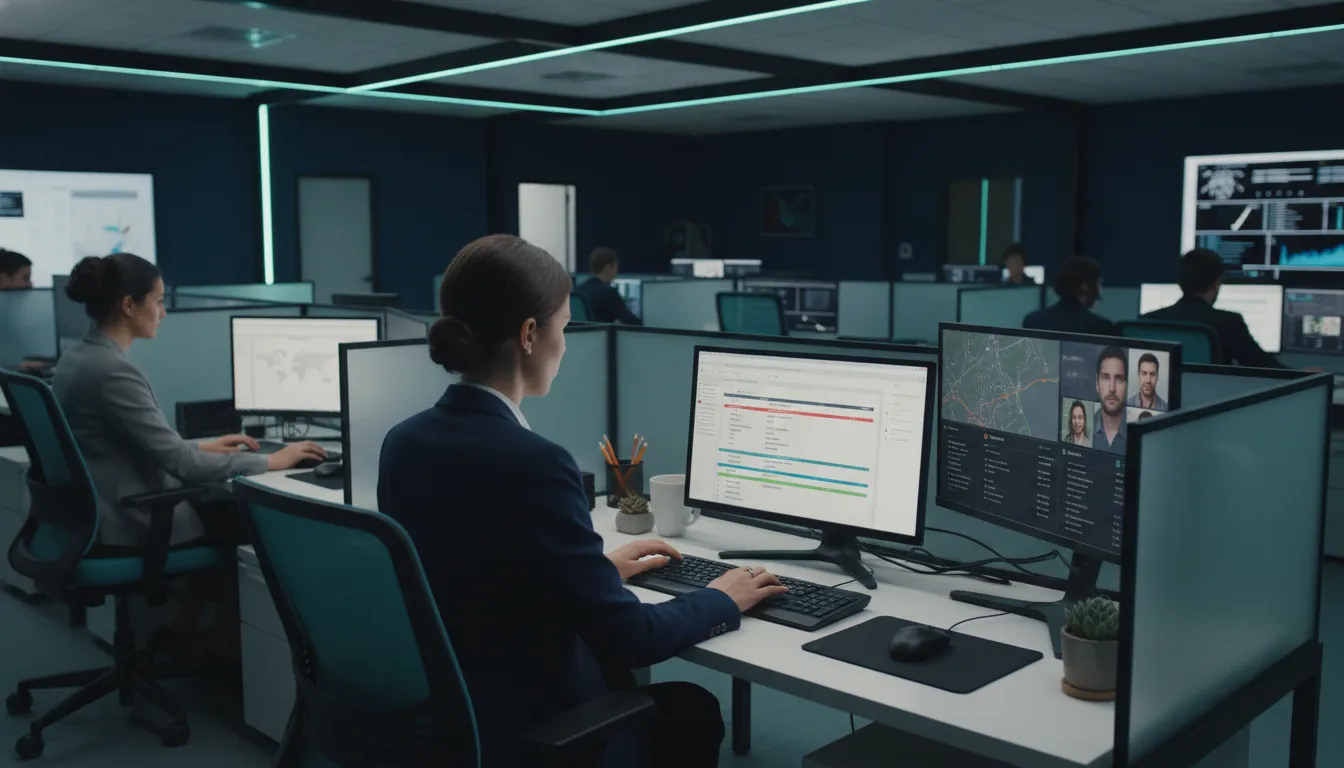
Real-time case reporting gives supervisors a current view of field activity, case progress, and open needs. When each investigator records notes as work happens, the firm can act on one shared record. This approach replaces scattered calls, texts, and end-of-day updates with clear case status.
Supervisor visibility and faster decisions
The value of timely data is clear across case-based work. The CDC reports that electronic case reporting provides faster, more complete data than manual reporting. For an investigation firm, timely entries give supervisors the context needed to spot stalled work and guide the next move.
Consider a surveillance investigator who records a subject departure, new vehicle, and route change from the field. A supervisor can review the update and approve a schedule change before the trail goes cold. The supervisor can also answer a client question without interrupting the investigator for a separate status call.
Workload coordination with fewer handoffs
A shared case record helps coordinators see who is active, what remains open, and where help is needed. If one investigator cannot finish an interview, the next investigator can review the existing notes before making contact. That handoff starts with context instead of a long recap.
Current records also make it easier to balance urgent work against planned assignments. A manager can move staff toward a new lead while protecting deadlines on other cases. CROSStrax real-time case reporting supports this flow by keeping assignments and notes tied to the case.
Fewer manual handoffs also reduce the chance that a key detail stays in an inbox or personal notebook. Automated data exchange can ease staff workload compared with manual reporting. The CDC describes this lower administrative burden in its case reporting work.
Billing readiness and cleaner closeout
Real-time updates help the office prepare billing while the work is still fresh. Field notes can show completed tasks, travel, expenses, and time that may need review. Billing staff can flag a missing entry before an invoice reaches the client.
This process also shortens case closeout. Report writers can use approved notes as the basis for a draft instead of rebuilding events from memory. Investigators spend less time repeating work, while reviewers can compare the report with the case record.
For example, a process server can record an attempt, mileage, and result right after leaving the address. The office can then update the client, plan the next attempt, and prepare the related charge. Each team member works from the same facts, which supports faster decisions and cleaner records.
How does real-time reporting protect evidence quality?
Real-time case reporting protects evidence quality by recording observations while details are still fresh. It places notes, timestamps, files, and case updates in one consistent record. This supports later review, but it does not guarantee admissibility or replace sound evidence-handling practices.
Capture close to the event
Delays create room for forgotten details, unclear wording, and missing context. Prompt reporting helps investigators record what they saw, when they saw it, and what action followed. Each entry can then support a clearer account of the work performed.
The value of timely records extends beyond investigations. The CDC reports that electronic case reporting provides faster, more complete data than manual reporting. For investigative teams, faster entry can preserve useful context before attention shifts to the next task.
Consistent records and supporting files
A structured report guides each investigator to capture the same core details. Common fields can cover the date, time, location, people involved, activity, and source of information. This makes case records easier to compare and reduces gaps caused by free-form notes.
Attachments also need context. A photo, video, document, or audio file is more useful when tied to the related case entry. Clear labels and timestamps help reviewers understand where an item fits within the case timeline.
Centralized real-time case reporting keeps notes and supporting material connected to the active matter. It also limits the need to rebuild a record from separate messages, devices, or paper files. That connection supports a more consistent record, not a legal guarantee.
Reviewable timelines and corrections
Supervisors and case managers need enough detail to test a report against the case timeline. Timely entries make it easier to spot conflicting times, missing files, or unclear descriptions. Review can happen while the investigator still remembers the event and can explain the entry.
Corrections should add clarity without hiding the original context. Teams should follow their own policies for edits, access, retention, and evidence handling. System timestamps and activity records can support defensibility when staff use them with consistent procedures.
Standardized reporting tools for investigations help turn case data into readable reports for review. They can improve consistency across cases while leaving professional judgment and final quality checks with the investigative team.
Better client communication without oversharing
Clients want timely answers, but they do not need access to every working note. Good communication separates useful progress from sensitive methods, unverified findings, and personal data. A clear reporting policy helps staff share enough information while protecting the integrity of the case.
Approval rules for every update
Set approval rules before the first client update goes out. Define which updates investigators can send, which need a supervisor, and which require legal review. These rules should cover status messages, reports, attachments, photos, and urgent notices. They reduce guesswork when a case moves quickly.
Use role-based access and a set review path inside your real-time case reporting process. The person approving a message should confirm its facts, audience, and purpose. They should also remove details that could expose a source, tactic, or untested lead.
- Label draft findings as unconfirmed.
- Share only the details needed for the client’s next decision.
- Record who approved each update and when it was sent.
- Escalate urgent or high-risk messages to the right reviewer.
Accurate status updates and expectations
A status update should answer three points: what changed, what happens next, and when the client will hear again. Avoid vague notes such as “investigation ongoing.” Instead, state the completed phase and the next planned action without revealing sensitive working details.
Agree on update timing and channels at intake. Some clients may need a weekly summary, while others need notice after set milestones. Automated data exchange can aid communication and teamwork, as shown in the CDC’s electronic case reporting guidance. Still, automation should not replace review or judgment.
When progress slows, explain the reason in plain terms and set a new check-in date. Do not promise an outcome or firm deadline that depends on outside parties. Consistent expectations make gaps in activity easier to understand and reduce avoidable follow-up calls.
Consistent reports without excess detail
Templates help every client receive the same core facts in the same order. A useful report can include the case status, completed work, key verified findings, open items, and next steps. Keep internal notes, source details, and raw evidence outside the client-facing version unless disclosure is approved.
Structured reporting tools for investigations can pull approved case data into a repeatable format. Staff should still check names, dates, attachments, and access rights before release. A final review protects confidentiality while giving the client a clear and reliable account of progress.
How to implement real-time case reporting
Real-time case reporting works best when leaders treat it as a new operating process, not just a software change. Start with one case type, define the required updates, and test the process with a small team. The goal is clear, timely information that supervisors can review without slowing field work.
Standards before software setup
First, agree on what a complete field update must contain. The CDC notes that electronic case reporting can provide faster, more complete data than manual reporting. Investigation firms can apply the same principle by setting clear rules for notes, evidence, time entries, and status changes.
-
Define required data. List the fields every investigator must complete for each update. Use set names for case stages, activity types, evidence, and next actions.
-
Map the field workflow. Decide when staff should enter notes, upload files, and flag urgent issues. Keep each action simple enough to complete from the field.
-
Set role-based permissions. Give each person access only to the cases and records needed for their work. Document who may edit, approve, export, or share each report.
-
Create review rules. Set triggers for supervisor review, such as missing fields, urgent findings, or client-ready updates. Also define who resolves errors and how corrections are logged.
-
Train with real scenarios. Let staff practice common tasks in a test case before launch. Include note entry, evidence uploads, status changes, and supervisor review.
-
Run a pilot and adjust. Test the workflow with a small team and a limited case group. Fix unclear fields, slow steps, and extra alerts before wider use.
A controlled rollout
Choose real-time case reporting tools that support the workflow your firm has approved. Avoid moving every active case at once. A phased launch gives leaders time to check data quality, answer questions, and refine review rules without disrupting client work.
During the pilot, assign one process owner to collect staff feedback and approve changes. Hold short check-ins so field teams can raise issues quickly. Record each change to keep training materials and operating rules aligned.
Measures that guide improvement
Track a small set of measures from the first pilot. Useful measures include update time, missing required fields, review turnaround, correction rates, and overdue client reports. Compare results by team and case type, then coach staff where gaps appear. Use reporting tools for investigations to turn approved case data into consistent reports and reduce duplicate entry.
What to look for in a real-time reporting platform
A useful platform should make real-time case reporting part of daily casework, not a separate task saved for the end. Leaders should assess how information moves from the field to supervisors, clients, reports, and invoices. The right fit supports both sound investigations and healthy business operations.
One reliable case record
Start with centralization. Case notes, evidence details, assignments, contacts, deadlines, and report drafts should live in one reliable record. A shared source helps teams avoid duplicate entry and conflicting versions. It also gives leaders a current view without chasing updates by email.
Consistent fields and templates matter as much as speed. They guide investigators to capture the same core details across cases while leaving room for context. The CDC’s electronic case reporting guidance offers a useful broader lesson: automated reporting can provide faster, more complete data than manual methods.
Review how the system protects that record. Access controls should let administrators match permissions to each person’s role and case needs. Look for a clear activity history, secure data handling, and simple ways to limit sensitive information. These controls help preserve trust without slowing routine work.
Field workflows and connected tools
Test the mobile workflow with the people who will use it. An investigator should be able to enter notes and case updates while details are fresh. Supervisors should then see those updates without waiting for a separate status report. A hard-to-use mobile process will push staff back toward paper and later entry.
Integrations also shape reporting quality. Ask whether the platform can connect the tools your firm already uses for communication, files, accounting, and other work. Each sound connection can reduce retyping and keep records aligned. It should also have a clear process for handling failed or duplicate data transfers.
CROSStrax brings case management, staffing, billing, and reporting into one operational hub. Its real-time case reporting features are designed around the work of investigative and security professionals. Leaders can use that model to compare how well each option links field activity with office oversight.
Reports, billing, and management insight
Before choosing a platform, build a short test case and follow it through the full workflow. Check whether investigators can capture details once and use them in review, client reporting, and billing. Then confirm that report formats remain consistent across investigators, case types, and clients.
- Can supervisors review case status and missing information at a glance?
- Can teams apply approved templates without rebuilding each report?
- Can authorized users trace report details back to the case record?
- Can staff connect completed work, time, expenses, and invoices?
- Can leaders view workload, deadlines, billing status, and business trends?
Strong reporting tools for investigations should make quality checks easier while keeping the source record intact. Leaders should also assess setup, training, support, and the effort needed to maintain templates. A platform creates value when the team can use it with care on every case.
Connect with the CROSStrax team to discuss a real-time reporting workflow built for your investigation firm.
Frequently Asked Questions
How does real-time case reporting improve evidence quality?
Real-time case reporting lets investigators record notes, documents, timestamps, and status changes while details are current. Keeping those materials in one centralized case record reduces gaps caused by scattered files or delayed entry. Centralized case management also helps firms maintain high evidence standards, according to CROSStrax.
How quickly should investigators enter case updates?
Investigators should enter case updates as soon as field conditions and firm procedures allow. Prompt entries preserve important details and give managers a current view of assignments, progress, and emerging issues. Firms should define clear update deadlines, required fields, and review steps so every investigator follows the same reporting standard.
Can clients receive case updates before the final investigation report?
Yes, firms can share approved progress updates before issuing a final investigation report. The firm should first define what clients may view, who approves updates, and how sensitive evidence is protected. A centralized case management process supports clearer client communication while keeping case materials organized, as described by CROSStrax.
Does real-time case reporting replace the final investigation report?
No. Real-time case reporting creates a current record of activities, evidence, expenses, and case status throughout an investigation. The final report still organizes verified findings into a clear account for the client or other authorized reader. Timely entries make that final document easier to prepare because relevant information is already collected and organized.
How does real-time case reporting reduce administrative work?
Real-time case reporting reduces repeated data entry by keeping case updates in a shared system instead of separate notes, emails, and spreadsheets. Staff can use current information for oversight, client communication, billing, and report preparation. Integrated platforms support faster, more accurate decisions by eliminating manual data entry, according to CROSStrax.
Ready to improve case reporting without delay?
Waiting to improve reporting allows missing details, slow handoffs, and unclear client updates to keep placing pressure on your team. Starting now gives your firm time to build a consistent process before the next urgent case tests current workflows. Your investigators can spend less time resolving information gaps and more time making timely, well-supported decisions.
Ready to make case reporting more useful across your firm? Request a CROSStrax demo to discuss your current workflow and identify practical next steps. Starting the conversation now gives your team more time to plan a smooth rollout, strengthen reporting habits, and improve visibility with less disruption. Contact CROSStrax today to see how one central platform could support your investigators, office staff, and clients.
